
Find Matching Clothing with Offline Clothing Image Search
Finding the exact matching style in a clothing library is rarely about “remembering the filename.” It is about the visual signals: silhouette, texture, trims, and the way a garment sits on the body. That is why offline clothing image search is now the fastest path for fashion teams that keep assets local and need reliable matches across seasons.
This guide walks you through a repeatable workflow used in local tools like FlareSeek: build a clean index, search by reference image, then converge results with similarity and folder filters until you can open the source path and reuse the assets. It is built for ecommerce teams, designers, and sourcing teams who need matching styles without uploading sensitive images.
If you are managing a season catalog, supplier sample library, or historical style archive, offline clothing image search gives you control over scope and privacy while still delivering fast matches. The goal is not just “similar thumbnails,” but getting to the exact file that can be reused in drops, lookbooks, or supplier handoffs.
Why matching clothing styles is slow in large libraries
Clothing assets are deceptively complex. A “similar dress” can look almost identical in a thumbnail but be from a different season, supplier, or fit block. Common bottlenecks include:
- Too many near-duplicates: the same style appears in white background, model shots, and detail shots.
- Scene noise: lighting, props, and styling can mislead visual comparison.
- Cross-team fragmentation: merchandising, design, and sourcing store assets in different folders.
- Weak naming: filenames do not encode silhouette, fit, or texture.
To speed this up, you have to make “visual similarity” the primary index, then add structure only after you see the results.
Typical scenarios where this workflow pays off:
- Ecommerce drops: quickly locate matching packshots for product updates
- Design review: compare past silhouettes to avoid repeating patterns
- Sourcing and suppliers: validate that samples match reference images
Offline clothing image search workflow (3-step loop)
A stable loop looks like this:
- Index a clean library focused on high-frequency clothing folders
- Search by reference image for matching styles
- Converge and locate with similarity + folder filters, then open the source path
This is the fastest way to turn “I remember the look” into “I have the file.” If you are setting up a library for the first time, start with a narrow scope and expand later. See: /en/docs/first_init and /en/docs/gallery-management.
For teams that juggle multiple seasons or brands, a two-layer approach works well: keep a “core library” for confirmed reusable styles and a “project library” for temporary sampling. Index the project library first, confirm matches, then promote the winners into the core library.
Folder structure matters. A simple season + category + SKU layout makes filtering far easier:
Clothing-Library/
2026_Spring-Summer/
Dresses/
SKU_1289_Red/
SKU_1290_Blue/
Outerwear/
SKU_3021_Khaki/
2026_Fall-Winter/
Knitwear/
SKU_5080_Grey/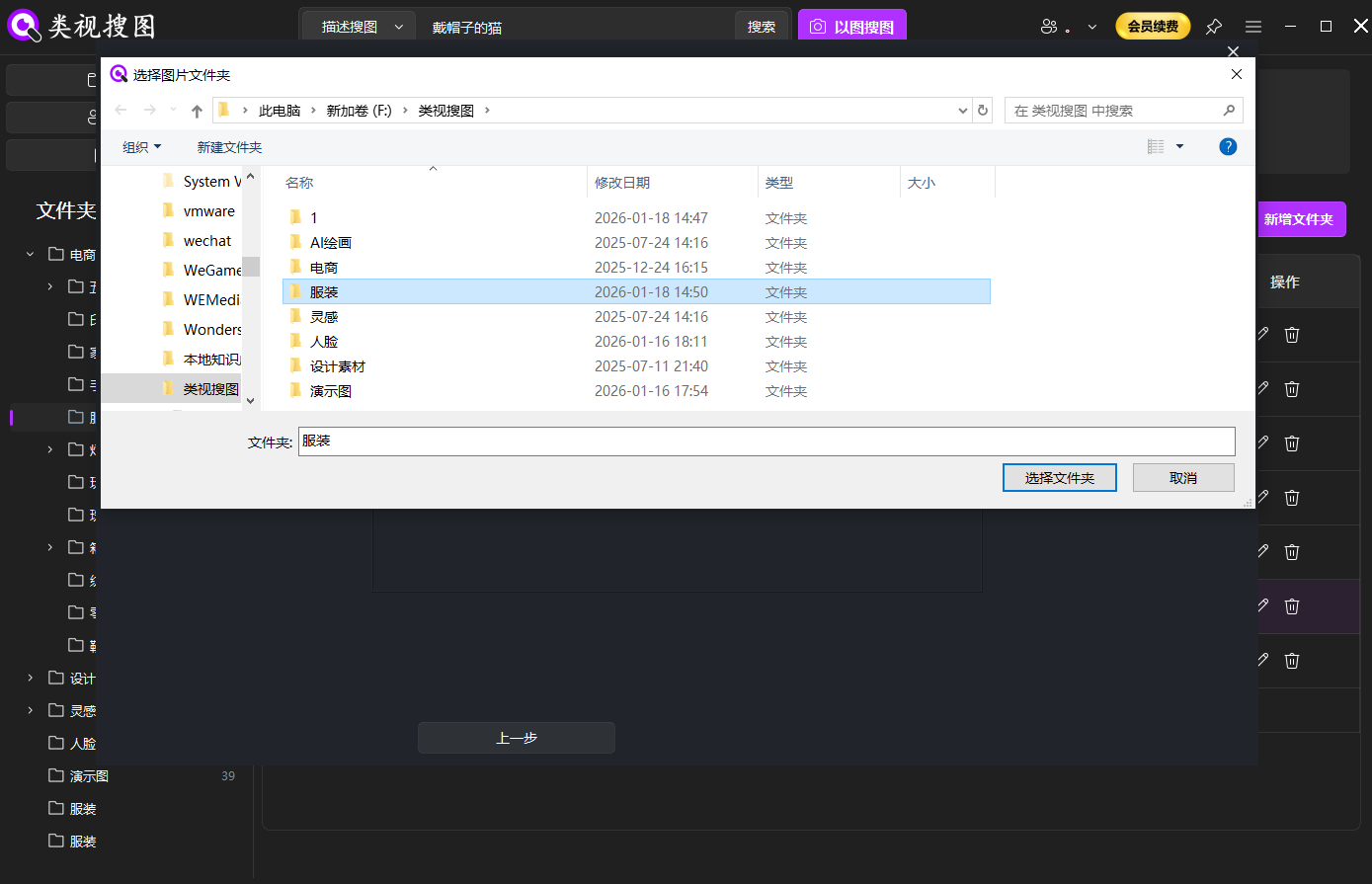 Caption: Start with high-frequency clothing folders so offline clothing image search stays accurate and fast.
Start with a strong reference image + enable subject recognition
Your reference image drives the search quality. For clothing, the best reference is not always the prettiest photo. It is the one that preserves structure.
Use these reference-image rules:
- Prefer clear, front-facing or standard-angle shots
- Keep collar, sleeve, pocket, and hem details visible
- If texture is critical, use a fabric close-up first, then expand
Start the search here: /en/docs/local-image-search.
Reference image pack (clothing-specific):
- A clean packshot or flat lay to lock silhouette
- A worn/on-model shot to capture drape and fit
- A fabric or trim close-up when texture is key
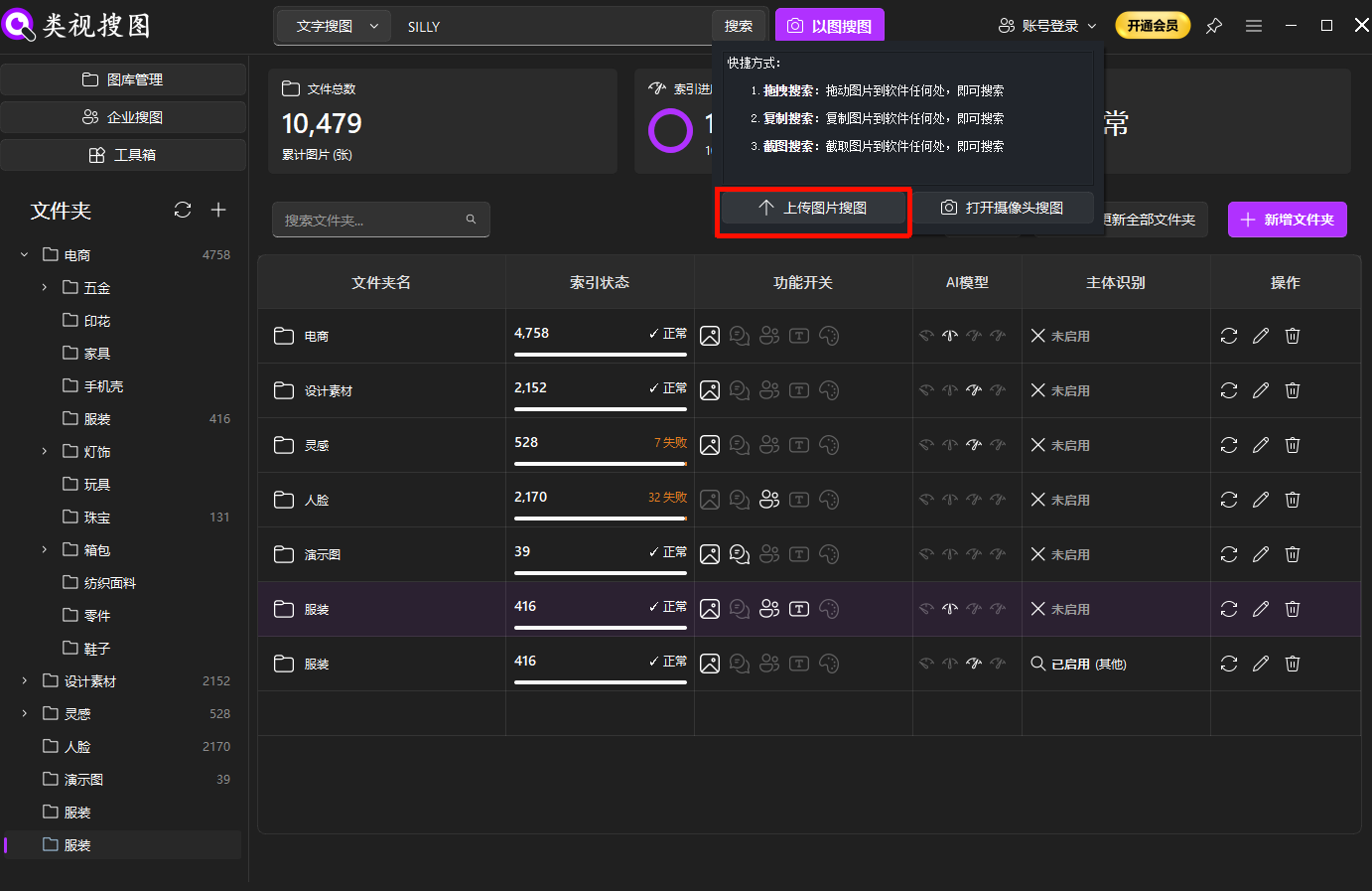 Caption: A clean reference image is the fastest way to locate matching styles without relying on filenames.
When the same style appears with different backgrounds or on different models, enable subject recognition so the system focuses on the garment rather than the scene. See: /en/subject-recognition.
Subject recognition is especially useful when:
- Styling items clutter the frame
- Multiple garments appear in the same outfit shot
- You want to match a specific piece within a layered look
Converge results with similarity + folder filters
After you get a result set, your job is not to scroll forever. Your job is to converge quickly:
- Raise similarity to lock down the closest matches first
- Filter by folder to restrict to the right season, brand, or SKU scope
- Relax similarity slightly to include angle or lighting variants
Use the results page to open the source folder and pull related assets (details, angles, packshots). Filtering tips: /en/docs/browsing-images.
Two-threshold method that works well for clothing:
- Strict threshold: confirm exact matches first
- Relaxed threshold: expand to colorway or lighting variants
| Action | Why it helps | Best for |
|---|---|---|
| Increase similarity threshold | Locks the most identical styles | Matching styles, infringement checks |
| Filter by folder | Reduces noise quickly | Season/SKU/brand scope |
| Relax similarity | Expands to angle and lighting changes | Lookbook variants |
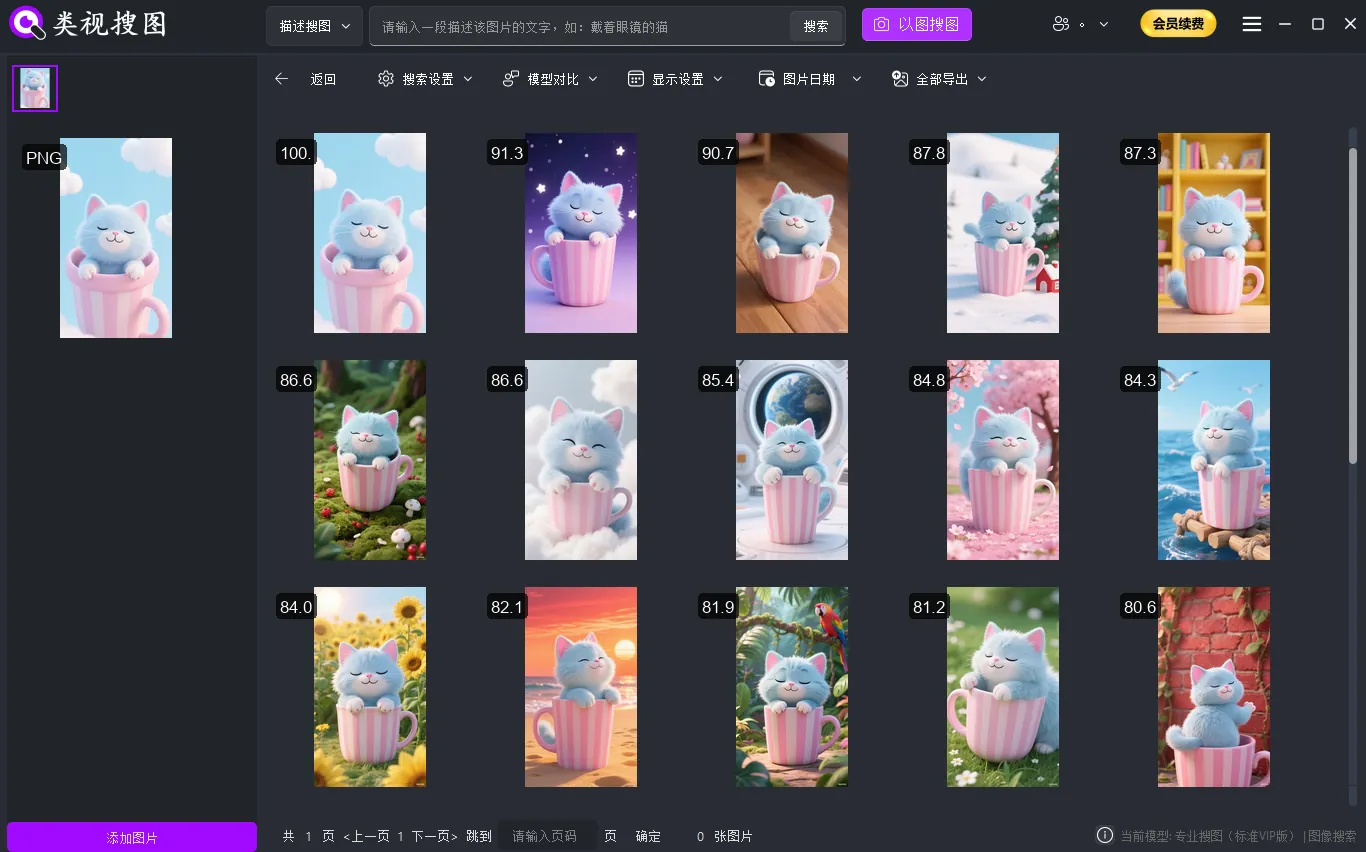 Caption: Converge first, then open the source path so reuse is immediate.
Clothing-specific checks: color, texture, silhouette + reuse checklist
Clothing matching is a detail game. Once you have a candidate set, check for these high-signal differences:
- Colorway: lock the silhouette first, then expand to color variants
- Texture and fabric: knit, denim, leather, or embroidery often need separate searches
- Silhouette: A-line vs straight, fitted vs relaxed, drop-shoulder vs set-in sleeve
- Details: collar shape, cuff design, pocket placement, hem finish
If the goal is “same style, different photo,” keep subject recognition on and use folder filters to keep brand or season boundaries intact.
Mini SOP for confirming a matching style:
- Lock the top 10-30 most similar results
- Compare colorways and trims to eliminate near-duplicates
- Save the reusable versions into a “Selects” or “Drop-Ready” folder
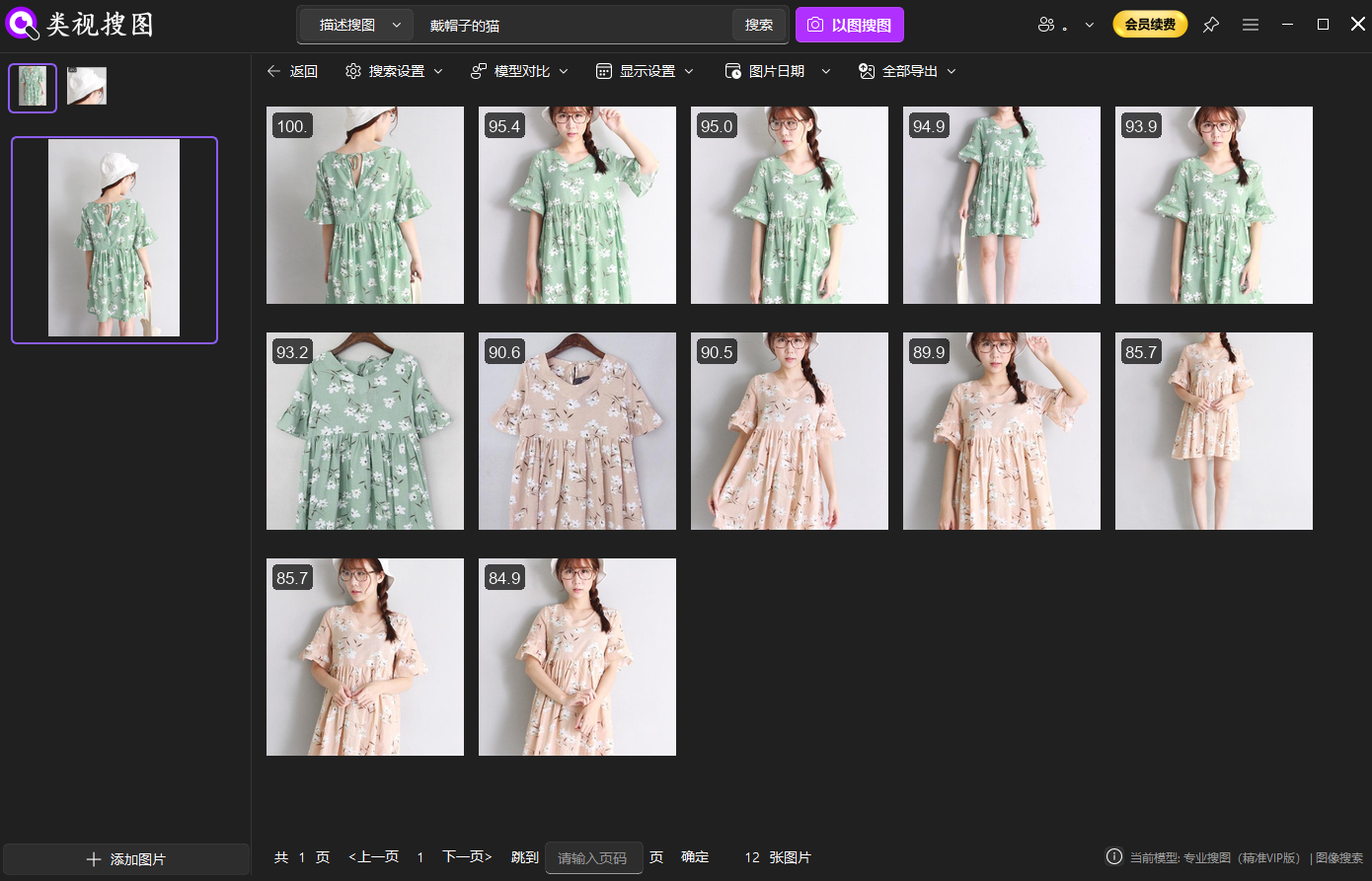 Caption: Clothing results grouped by visual similarity help you separate colorways and fit details.
Reuse checklist for fashion teams
- Keep a “core clothing library” with only confirmed reusable styles
- Store packshots, model photos, and detail shots in the same SKU folder
- Update the index after every new import, so new styles are searchable
- Run a matching-style check before each drop to avoid accidental reuse
- Keep one “reference image” per SKU as the default search seed
FAQ
Q: The same style looks different on another model. How do I still find it?
A: Enable subject recognition and raise similarity first. If the result set is too small, relax the threshold after confirming the top matches.
Q: I get too many results. What should I do first?
A: Filter by folder (season/SKU/brand) before touching the similarity slider. Narrow scope is the fastest noise reducer.
Q: Why can’t I find newly added clothing photos?
A: The index may not be updated. Sync the folder index and confirm the searchable file count in gallery management.
Q: Different suppliers have similar styles. How do I avoid mixing them?
A: Filter by supplier or brand folders first, then use subject recognition to lock structure before widening scope.
Summary and next step
Offline clothing image search works when the loop is fixed: build a clean library, search by reference, converge by similarity and folders, then open the source path to reuse. Start with one high-frequency clothing folder, run three reference tests, and archive the best matches into a stable “selects” folder.
Get started here: /en/download