
Search Similar Patterns with Local Texture Recognition
Pattern libraries grow fast: prints live across designer laptops, supplier samples, historic projects, and download folders. When teams ask “do we already have something like this,” scrolling folders turns into guesswork. Local texture recognition search turns visual similarity into a repeatable workflow so you can pull a cluster of matching patterns from local folders using one reference image.
The key shift is that similar patterns appear as a group instead of scattered single files, which reduces rework and makes style reviews faster across design, sourcing, and ecommerce teams.
This guide answers the practical question of how to search similar patterns with a local workflow. It focuses on use cases, asset preparation, and a three-step process that keeps results stable and reusable for design, procurement, and ecommerce teams.
Local texture recognition use cases for similar pattern search
Pattern assets are valuable because they support consistent style decisions, not just because they are single files. Local texture recognition search performs best in these scenarios:
- Fabric development: reverse-match prints from sketches or swatches to accelerate sourcing
- Home decor and wallpaper: keep textures aligned across a room or collection
- Packaging and print: reuse approved patterns from past projects to avoid redundant design work
- Ecommerce selection: locate similar pattern variations from product detail shots
- Brand consistency: enforce a consistent pattern language across departments
Two additional pain points show why similar pattern search matters:
- Seasonal reuse: pull a consistent pattern family from last season without hunting through archives
- Supplier alignment: compare supplier submissions against internal style references quickly
Typical pattern assets include swatches, repeat tiles, supplier PDFs, and design mockups. When you already have a visual reference, local texture recognition search is more reliable than filenames or tags because it prioritizes structure, repeat rhythm, and core motifs.
Quick decision matrix:
| Goal | Reference input | Outcome |
|---|---|---|
| Match supplier samples | Swatch photo | Closest in-house pattern family |
| Reuse past collections | Hero pattern tile | Variations across seasons |
| Expand new concepts | Draft motif crop | Adjacent styles for iteration |
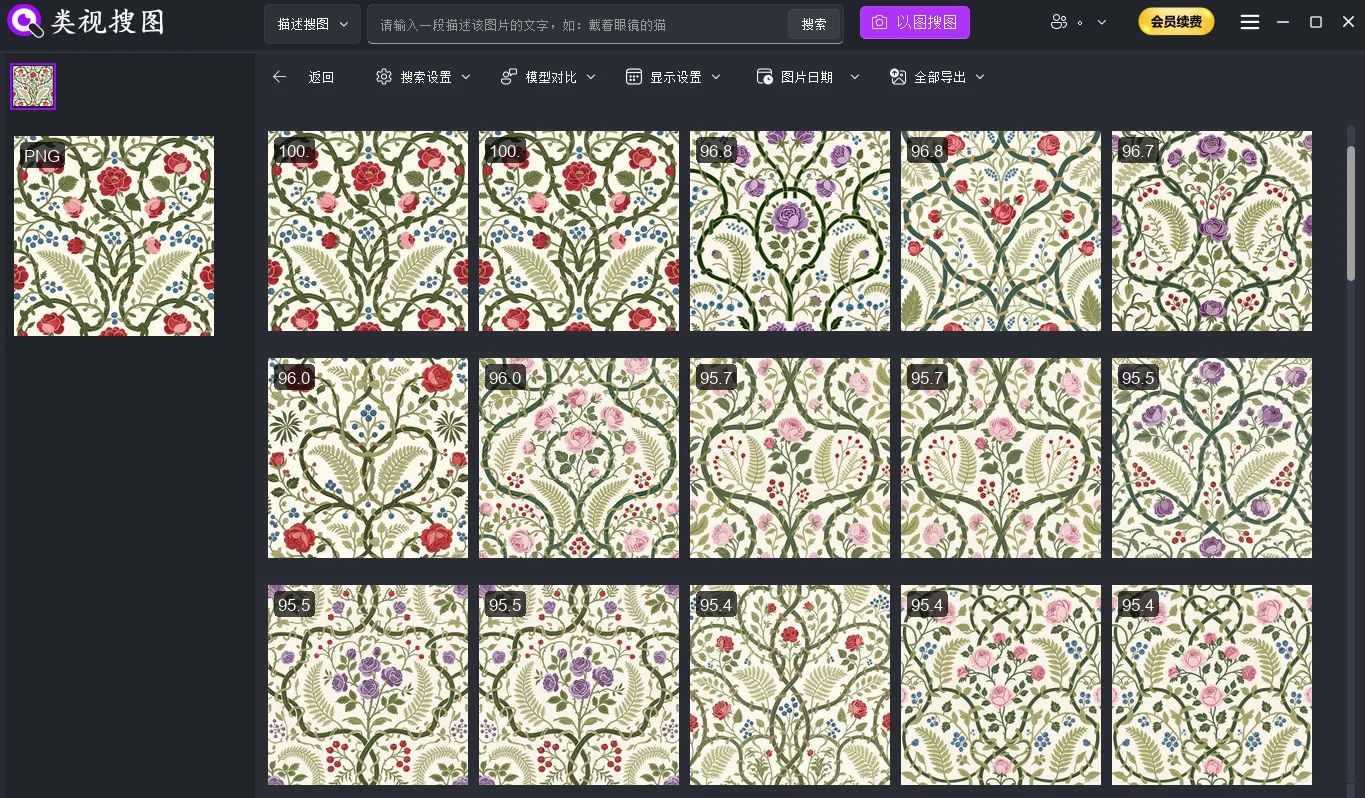 Caption: Local texture recognition search groups pattern candidates that share structure, repeats, and style cues.
Why local texture recognition search works for pattern libraries
Local texture recognition search is ideal when you have high-volume assets, strict privacy requirements, and long-term reuse goals:
- Local-only processing keeps swatches, supplier images, and concept art private
- Stable speed after indexing means search stays fast even as libraries grow
- Cross-project reuse allows one pattern library to serve multiple collections
To keep results stable, prioritize three conditions: clean source images, controlled indexing scope, and team-wide filing rules. If you lack a clear taxonomy, start with a minimal structure of category → style → colorway, then expand once your library grows. Avoid mixing finished marketing compositions into the pattern library because they dilute texture signals.
If you only have a written brief instead of a reference image, use semantic search first to find candidates, then switch to local texture recognition search once you have a representative pattern.
3-step workflow for local texture recognition search
A consistent loop makes results reproducible: index → reference search → refine and locate. Use the steps below as a team SOP.
Step 1: index the right pattern folders first
Start with high-frequency collections or approved libraries instead of indexing everything. A minimal setup works well:
- Create a master pattern library folder for reusable assets only
- Create project pattern folders for experiments and temporary reviews
- Review weekly and promote approved patterns into the master library
Scope rules that keep results clean:
- Exclude marketing posters, lifestyle scenes, or product shots with heavy props
- Keep raw pattern tiles and swatches in the indexed folders
- Separate supplier intake from approved internal libraries until alignment is confirmed
Setup guide: /en/docs/first_init
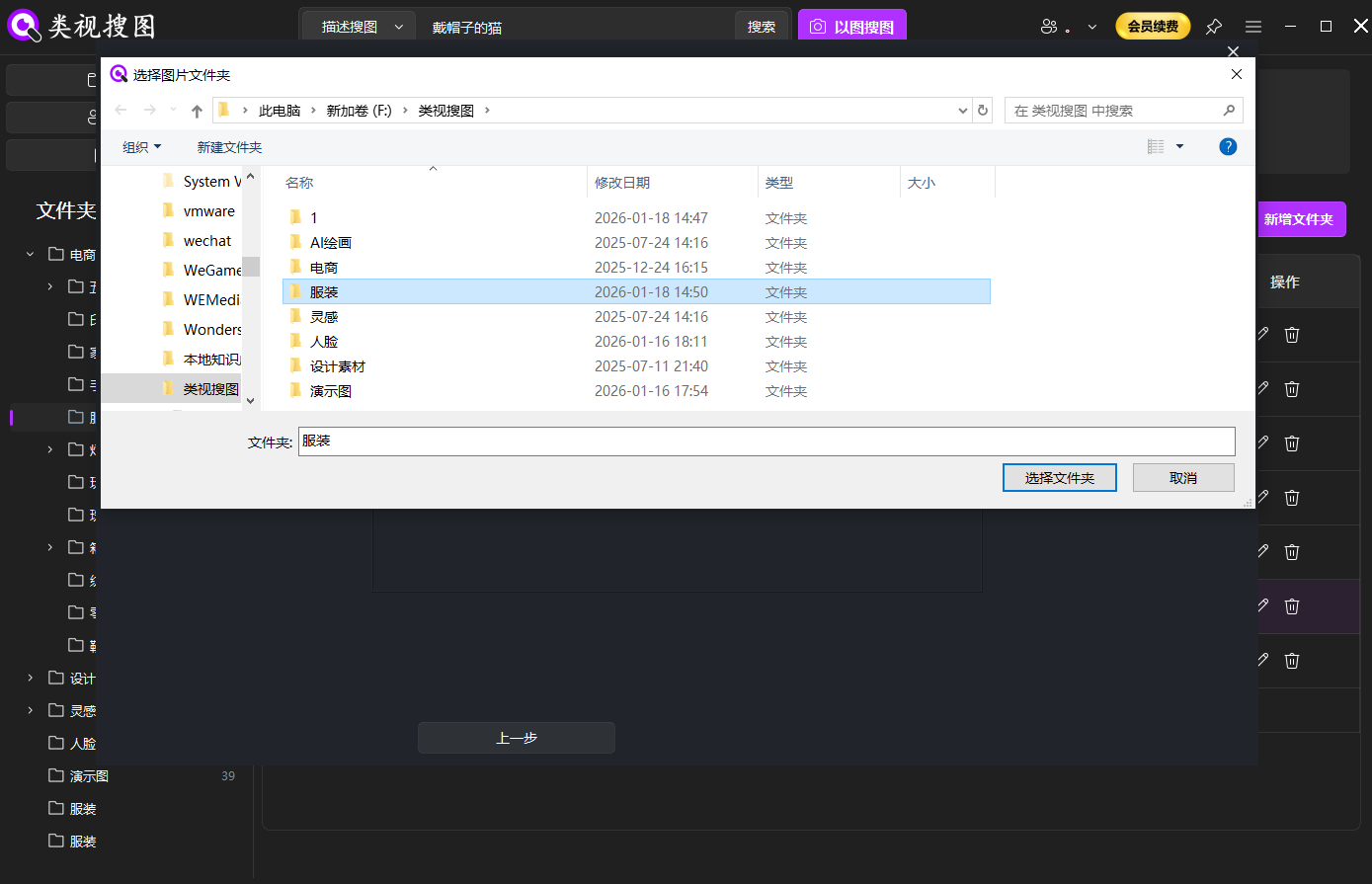 Caption: Index focused pattern folders first so local texture recognition search stays precise.
Step 2: choose a representative texture as the reference image
Use a reference image that shows a clean repeat unit, visible texture detail, and minimal background. If the original photo includes context (garment, room, props), crop to the texture region before searching. For fabric photos, a flat lay with clear lighting is more reliable than a wide scene shot.
Tip: if the pattern has a distinct core element (flower, geometric mark), search with a close-up of that element first, then widen similarity to capture color variants.
Reference checklist:
- Clear repeat unit and visible texture detail
- Minimal background noise and low perspective distortion
- Even lighting with no harsh highlights or deep shadows
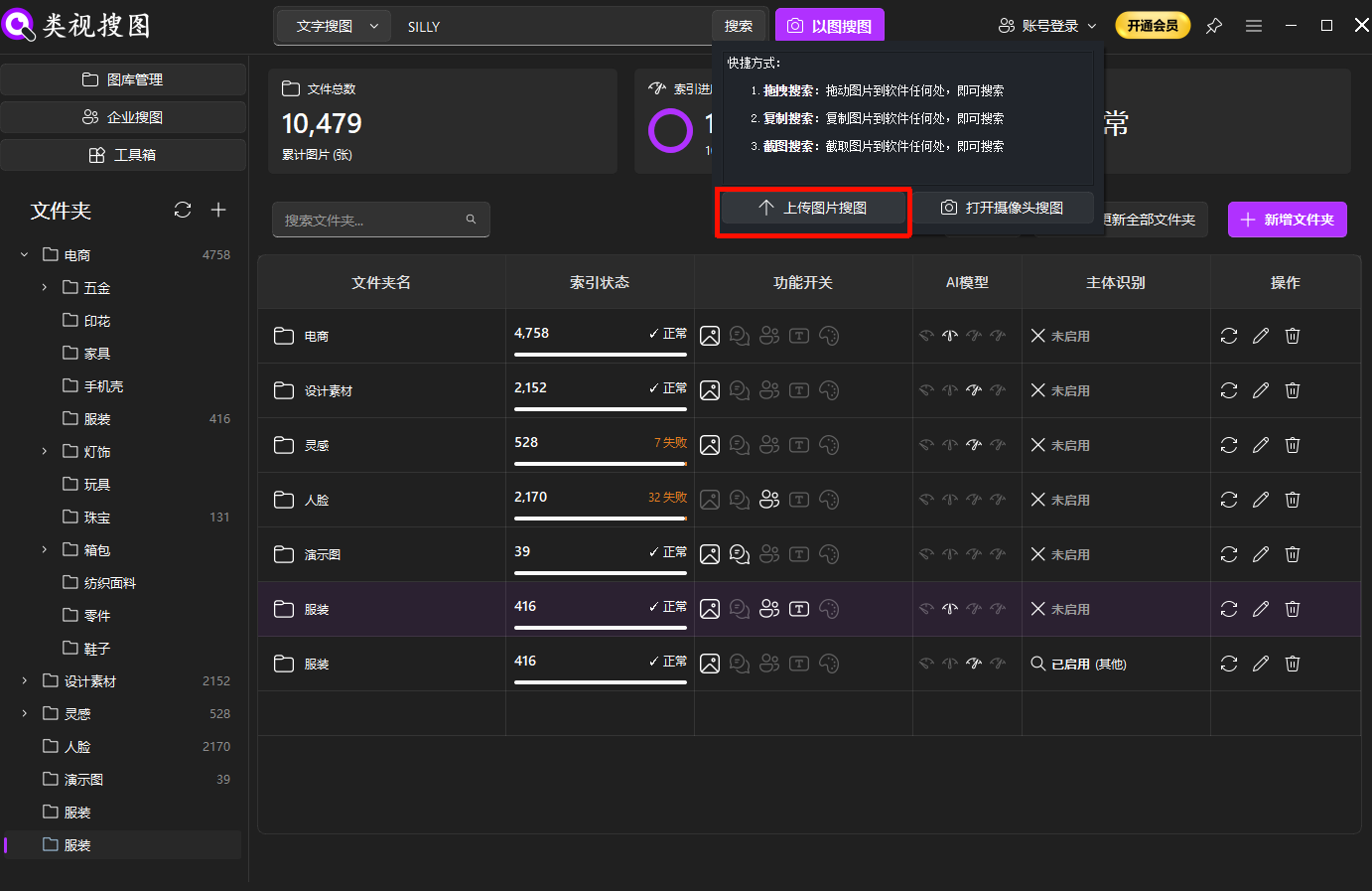 Caption: A clean reference image makes similar pattern search more stable.
Step 3: refine by similarity and locate the source folder
Increase similarity to converge, then filter by folder to narrow to a collection or supplier batch. After you reach a clean candidate set, open the source folder to reuse or archive. Results page tips: /en/docs/browsing-images
Recommended order:
- Lock the closest matches first (highest similarity)
- Loosen similarity gradually to include adjacent variations
- Split results into ready, editable, and reject buckets
For review meetings, export the “closest matches” bucket as a shortlist so stakeholders compare only the most relevant candidates.
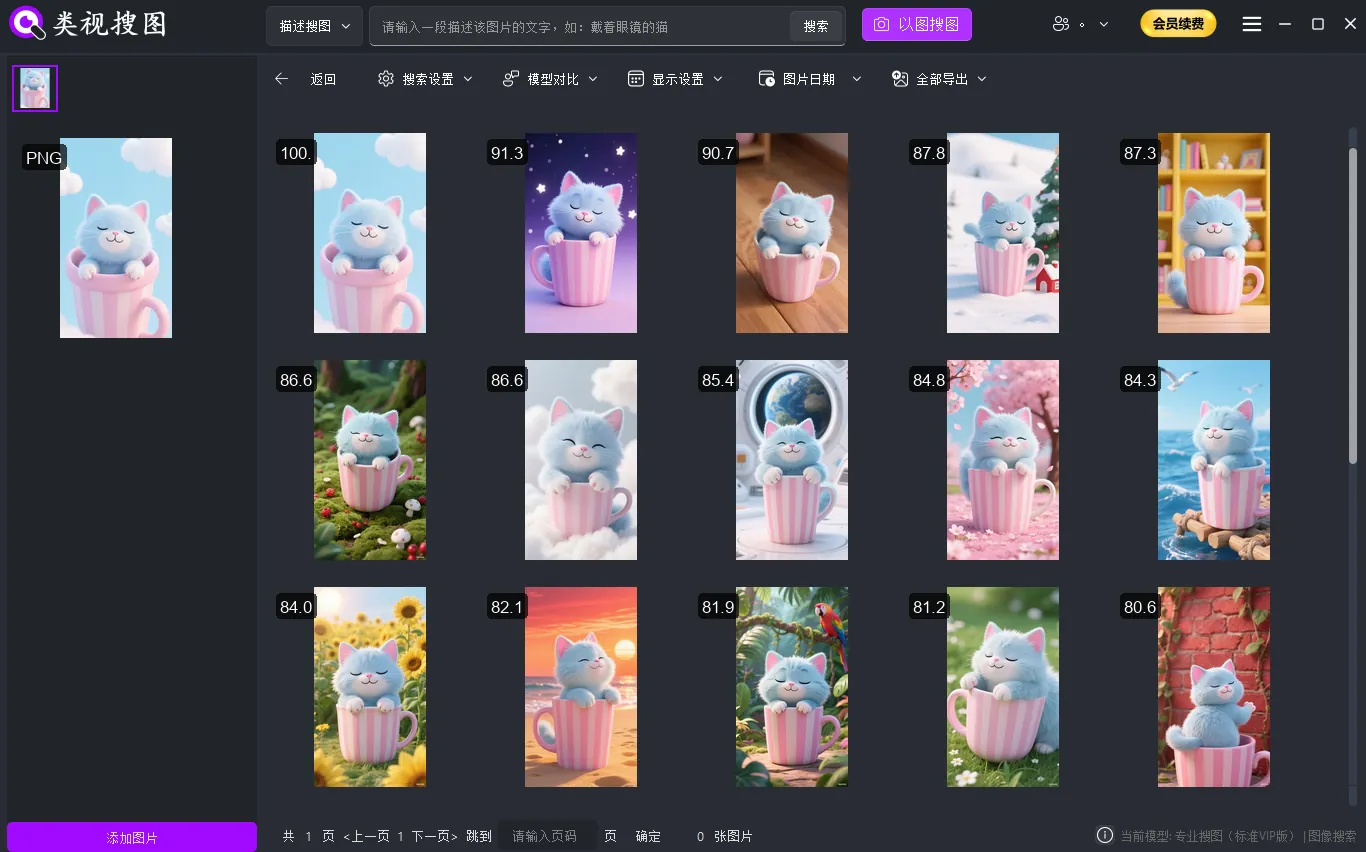 Caption: Converge by similarity, then open the source folder to reuse the real files.
Prepare texture assets for higher match quality
In texture search, preparation matters more than algorithms. These practices improve consistency:
- Normalize scale and orientation to keep repeat units comparable
- Preserve full repeat units so the model sees structure, not fragments
- Reduce background noise to prevent false matches
- Keep lighting even to avoid shadow-driven mismatches
- Control scope with folders by category, style, or material
- Converge first, expand later to balance precision and coverage
Common mistakes to avoid:
- Mixing different materials in one folder without a material tag
- Cropping too tight so the repeat unit is incomplete
- Searching from low-resolution images that blur pattern edges
If results are too noisy, narrow the indexed folders and increase similarity. If results are too few, reverse the steps. Change one variable at a time to avoid confusing cause and effect. Maintaining a small reference benchmark set makes testing more reliable.
Operational checklist and FAQ
Turn each search into a reusable team action:
- Maintain 1-2 primary pattern folders per project
- Archive usable patterns into a curated “selects/reuse” folder immediately
- Standardize naming with style + material + colorway
- Clean low-quality and duplicate assets monthly
- Use the troubleshooting checklist when results look wrong: /en/docs/faq
Naming examples:
Womenswear-French-Floral-LightBlueHome-Nordic-Geometry-GreyWhitePackaging-Holiday-Stripe-RedGold
Collaboration tips:
- Use a shared style glossary across design, procurement, and ecommerce
- Lock key collections into “approved style” folders to prevent drift
- For multi-team workflows, consider enterprise controls: /en/docs/enterprise-search
FAQ:
Q1: Why do fine or dense patterns match inconsistently?
A: Fine textures need clearer repeat units. Crop to a clean unit and use higher-resolution images.
Q2: Can I match the same pattern in different colorways?
A: Yes. Lock structure with high similarity first, then lower similarity to include color variants.
Q3: My library is messy and results drift. What should I do?
A: Restrict the scope to your main pattern folder, then expand gradually once results stabilize.
Summary and next step
Searching similar patterns should not depend on memory. With a stable local texture recognition search loop—index → reference image → refine → locate source → reuse—you can build a pattern library that stays consistent across projects.
Next step:
- Index one core pattern folder
- Test five reference textures from real projects
- Move the best matches into your curated reuse folder
Get started: /en/download