
Find Images Without Filenames with Offline Reverse Image Search
You remember what the image looks like—but not the filename, not the folder, not the export time. That is exactly why text-based searching fails at scale.
With offline reverse image search, you switch from “guess the filename” to “match the visuals.” This guide gives you a practical workflow to find the exact file inside your local folders and open its source path in seconds.
Why searching by filename stops working
When your library grows, these issues compound:
- Random filenames from cameras, downloads, and screenshots
- Assets scattered across projects, drives, and temporary folders
- You remember the style, layout, or subject—not the words
- Too many near-duplicates create noise when browsing folders
The fix is simple: stop relying on text. Use visual matching instead.
The right workflow: a 3-step loop that gets you the file
A reliable local workflow looks like this:
- Choose a reference image: original, screenshot, or a crop (clear subject works best)
- Search by image: retrieve visually similar results from a local index
- Confirm and act: preview → filter → pick the right result → open the source folder for follow-up actions
The goal is not “similar results.” The goal is getting the real file path so you can reuse, replace, or organize it.
Step-by-step: find “that image” inside local folders
The steps below match how local image search apps work, including 类视搜图.
Step 1: index the right folders (do not scan the whole disk first)
If search feels slow or messy, it is usually an indexing scope problem.
Best practice:
- Start with 1-3 high-frequency folders (product images, UI screenshots, design assets)
- Avoid noisy temporary folders (downloads, chat caches) at the beginning
- Prefer stable local disks that stay connected
Setup guide: /en/docs/first_init
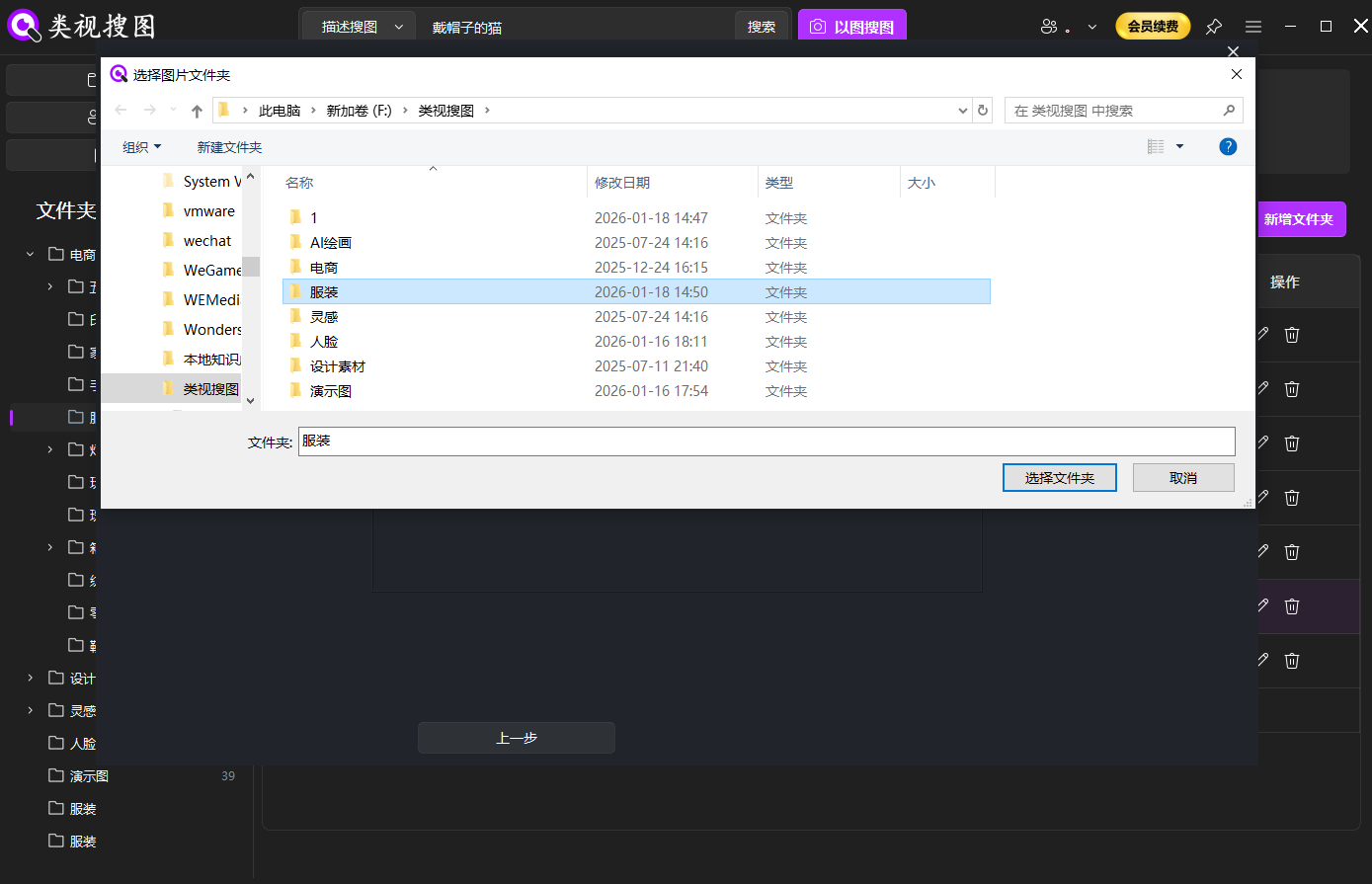 Caption: Start by indexing a few high-frequency folders so offline reverse image search stays fast and accurate.
Step 2: search by image with a strict-to-broad strategy
To avoid getting flooded with results:
- Start with a higher similarity threshold to find “same item / same scene”
- Then widen the threshold to find “same style / similar vibe”
This keeps the first screen actionable.
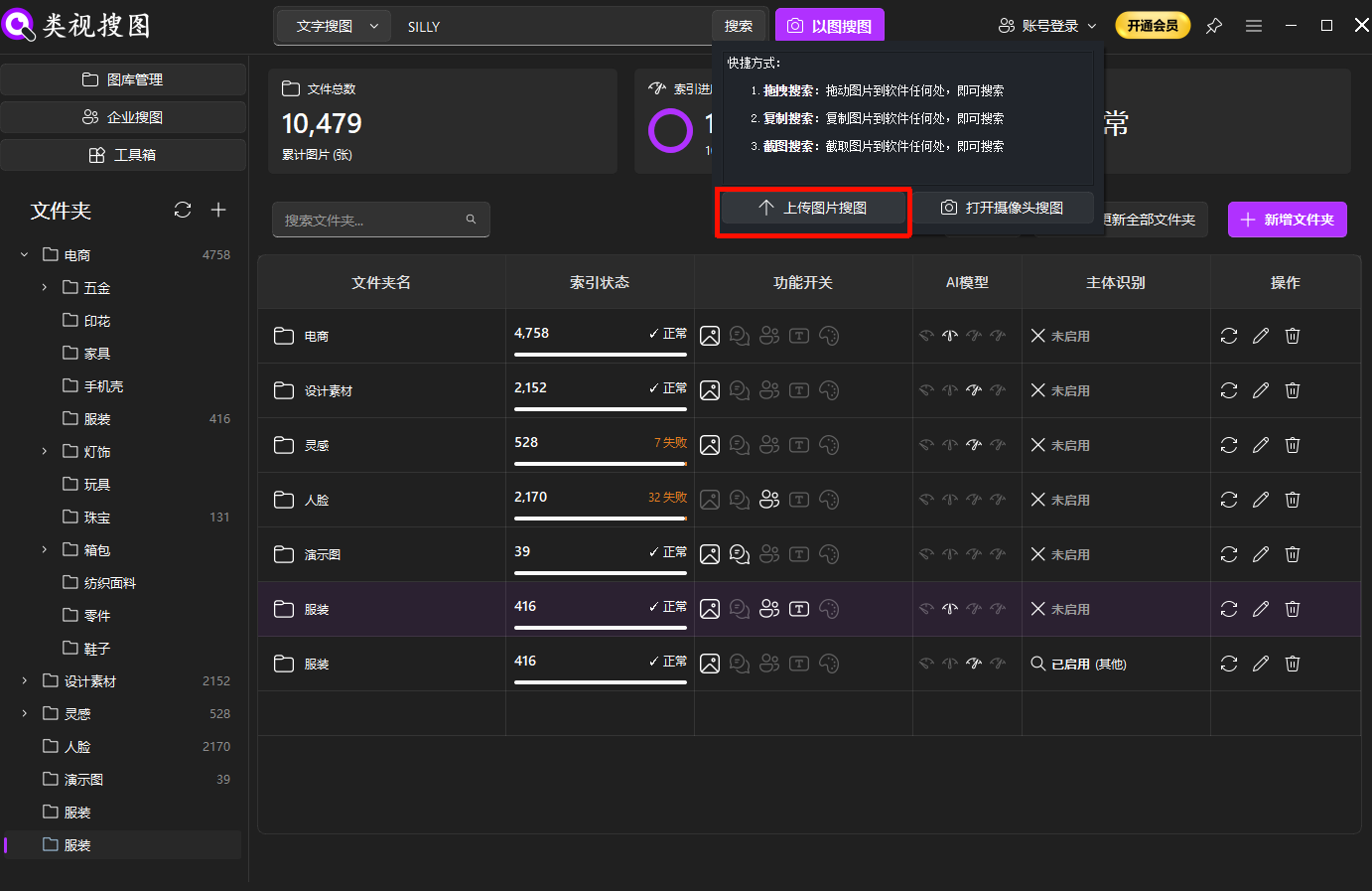 Caption: Use a reference image (original, screenshot, or crop) to trigger offline reverse image search instead of guessing filenames.
Step 3: refine fast with folder filters + similarity
When results are too many, use this order:
- Increase similarity threshold (lock the closest matches)
- Filter by folders (narrow to the right library)
- Reduce threshold (discover broader similar assets)
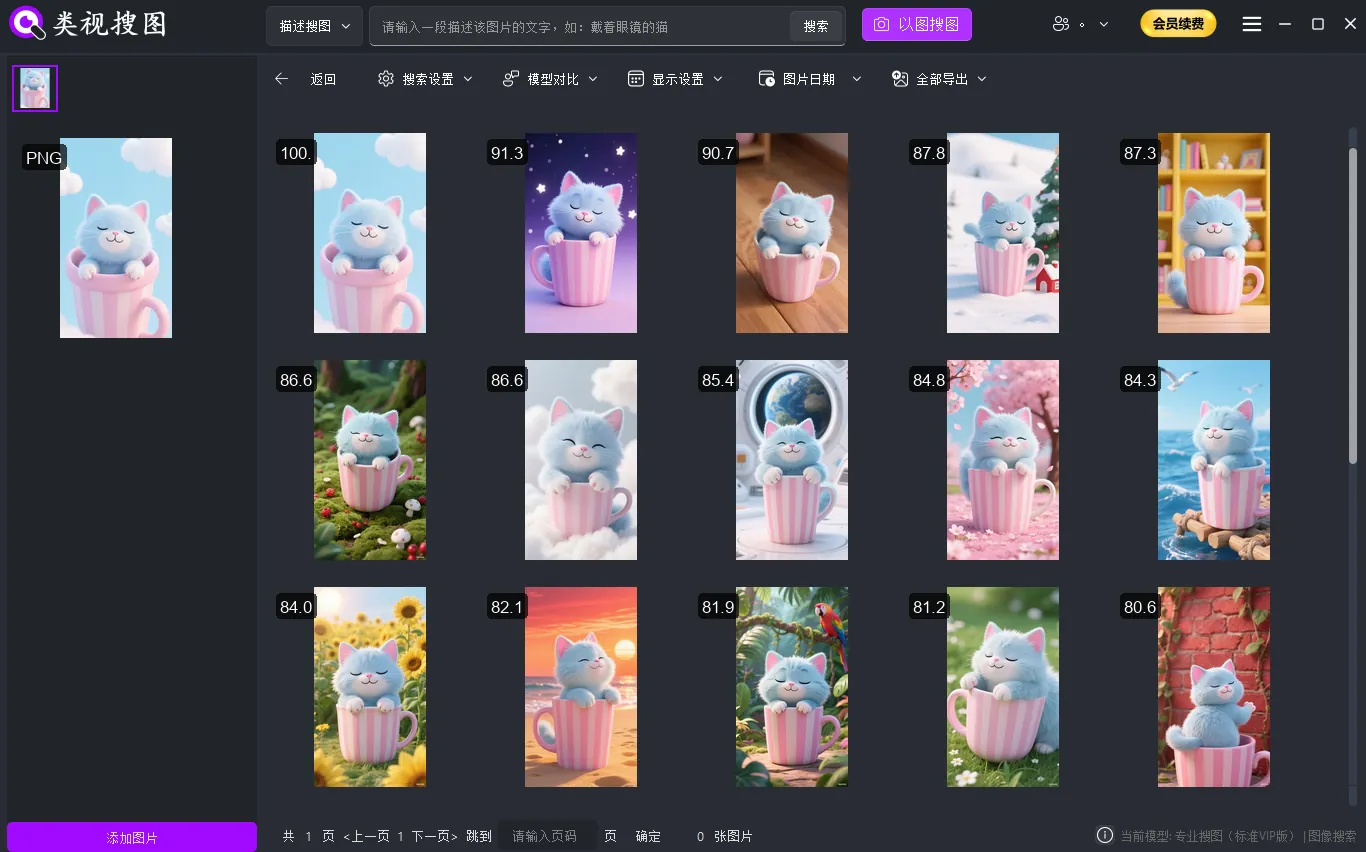 Caption: Refine by similarity and folder scope, then open the source folder to retrieve the real file path.
Step 4: open the source folder and make it reusable
Once you find the target, always open its source path:
- You often need the “neighbor files” (same batch export, same shoot, same project)
- You can immediately copy/move/rename to prevent losing it again
- Light cleanup reduces noise for future searches
Download: /en/download
Improve match quality: 6 practical fixes
- Use a clearer reference image
- Over-cropped or low-res references are less stable
- Strict first, broad later
- Lock the closest matches before exploring style-level similarity
- Use folder filters early
- You usually know which library it belongs to, just not the filename
- For screenshots, pick the most distinctive one
- UI elements and dense layouts help narrowing
If your screenshots contain readable text (brand names, menu items, order numbers), combine OCR text search to narrow results even faster.
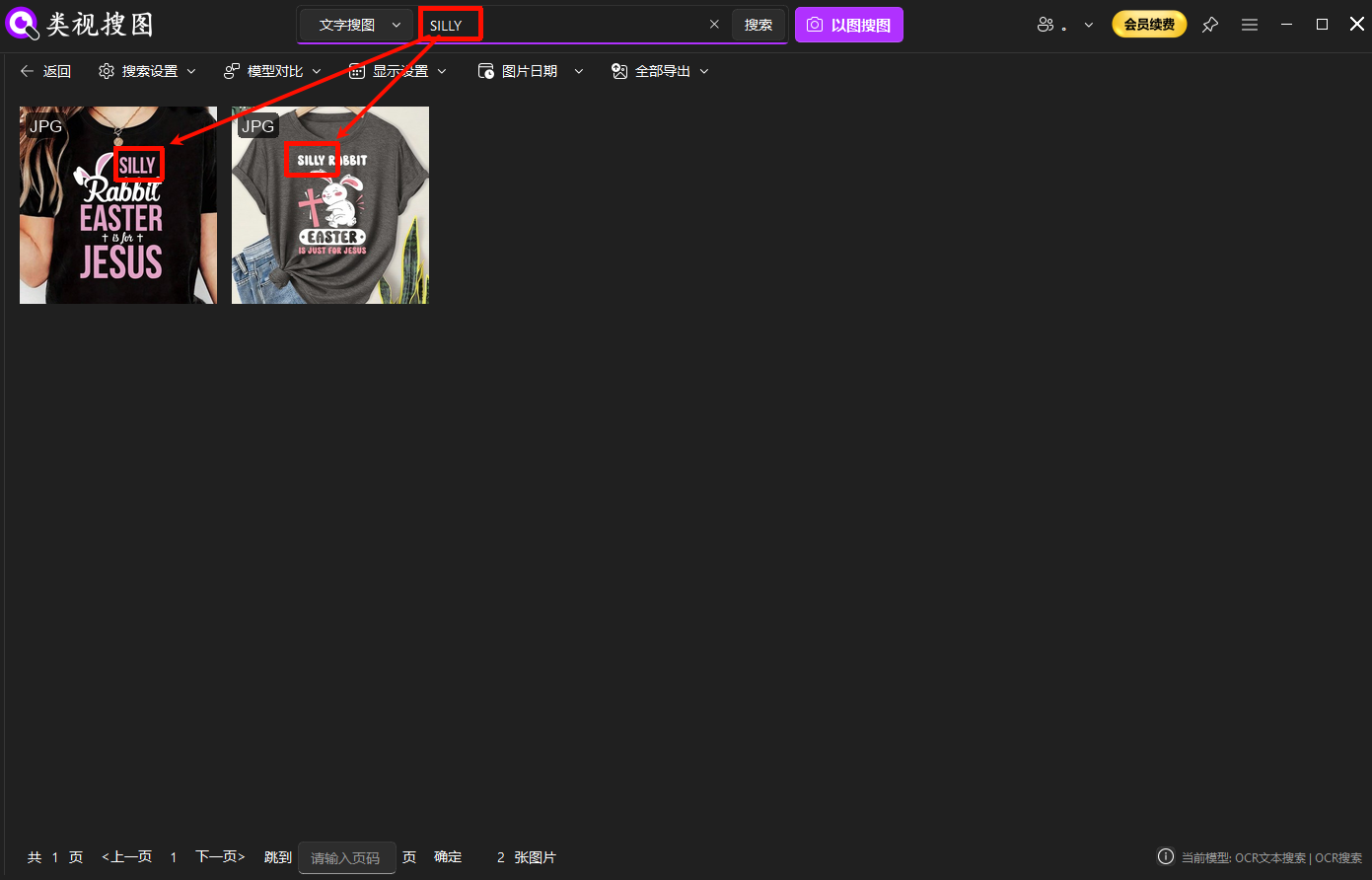 Caption: OCR-based filtering helps offline reverse image search converge when you have too many similar screenshots.
- No index, no results
- Confirm folder is indexed and indexing has finished
- Remove duplicates
- Less duplicate noise means faster filtering and better decisions
Troubleshooting: /en/docs/faq
FAQ
Q: Can I find the original file using only a screenshot?
A: Often yes. Use a screenshot with a clear subject, then narrow results using folder filters and similarity thresholds.
Q: I know the image exists—why can’t I find it?
A: Check these first:
- the folder is indexed and indexing is complete
- the file is not corrupted or extremely small
- the reference image is not overly cropped or dominated by background noise
Q: Do I need the internet for offline reverse image search?
A: The core matching and indexing run locally. Internet usually affects downloads/updates only.
Summary and next step
If you want to find images without filenames, the fastest approach is a repeatable loop:
Reference image → offline reverse image search → refine → open source folder.
Next step:
- Index one core folder
- Test three reference types (product shot, design asset, screenshot)
- Open the source folder and do a quick cleanup to prevent future loss
Get started: /en/download
If you want a full “from zero to results” offline setup guide, read: