
Cull Same-Scene Photos Fast with Local Similar Image Search
Culling is rarely slow because you cannot judge photos. It is slow because you cannot quickly get “the right group” on screen: the same scene, the same burst, the near-duplicates that must be compared side-by-side.
This guide shows a repeatable workflow built around local similar image search. Instead of scrolling endlessly through folders, you use one reference image to pull the whole scene into a single result set, then refine by similarity and folder scope, and finally open the source path to act (move, tag, export, archive).
Why culling the same scene wastes so much time
When you shoot bursts, the decision you need to make is visual:
- Composition and framing
- Focus and sharpness
- Expression, gesture, micro-moments
- Clean edges and background distractions
But your storage is not organized for visual decisions. Files are organized by:
- Random camera filenames
- Export batches
- Backup drives and duplicates
So you end up doing manual labor: endless scrolling and “where was that one frame?” guessing.
The fix is to separate culling into two stages:
- Group first: pull same-scene or near-duplicate frames together
- Decide second: pick keepers within that group
Local similar image search is the fastest “grouping entry point” for a scene.
A 3-step loop with local similar image search
A workflow that stays fast across thousands of images looks like this:
- Index your shoot folders: keep the search scope clean (start small)
- Search by a reference image: retrieve the same scene as a cluster
- Refine and act: similarity + folder filters → open source folder → move/tag/archive
Below is a practical step-by-step you can apply with apps like 类视搜图.
Step-by-step: turn one reference image into a scene cluster
Step 1: index the right folders (do not scan everything first)
In culling, accuracy is not only about the model—it is mostly about scope. If you index noisy folders, your results become noisy.
Recommended indexing strategy:
- Start with the export folder for this project or date (your “shoot core”)
- Add one curated library folder if you reuse assets across jobs
- Avoid temporary downloads and mixed image dumps at the beginning
Setup guide: /en/docs/first_init
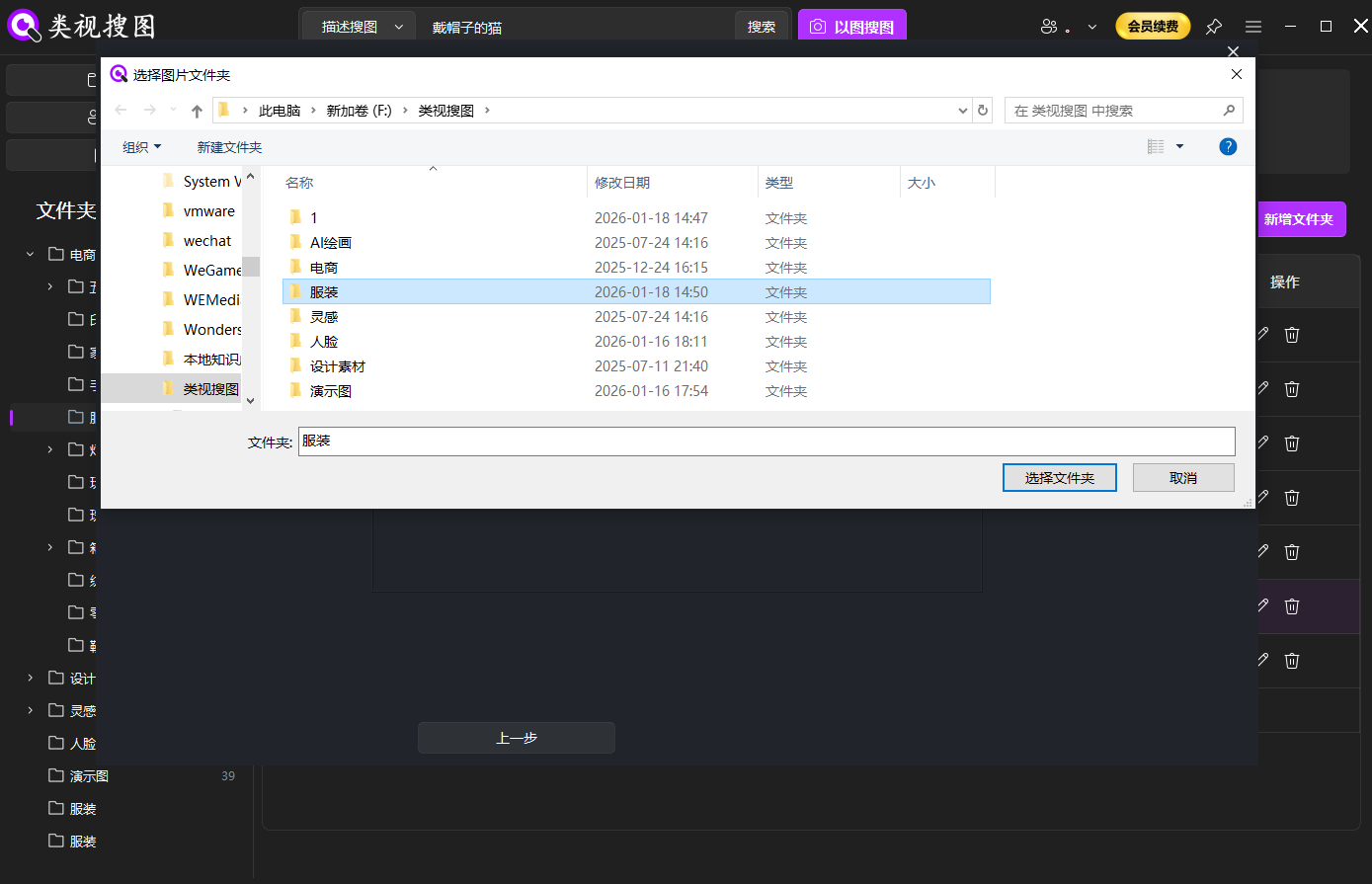 Caption: Index only the folders relevant to the shoot so local similar image search returns clean same-scene groups.
Step 2: pick the best reference image to pull the scene
Your reference image matters because the search is visual. Choose a frame with strong and stable features:
- Clear subject and sharp focus
- Distinctive background elements (stage, signage, lighting structure)
- More “information density” (not over-cropped, not too blurry)
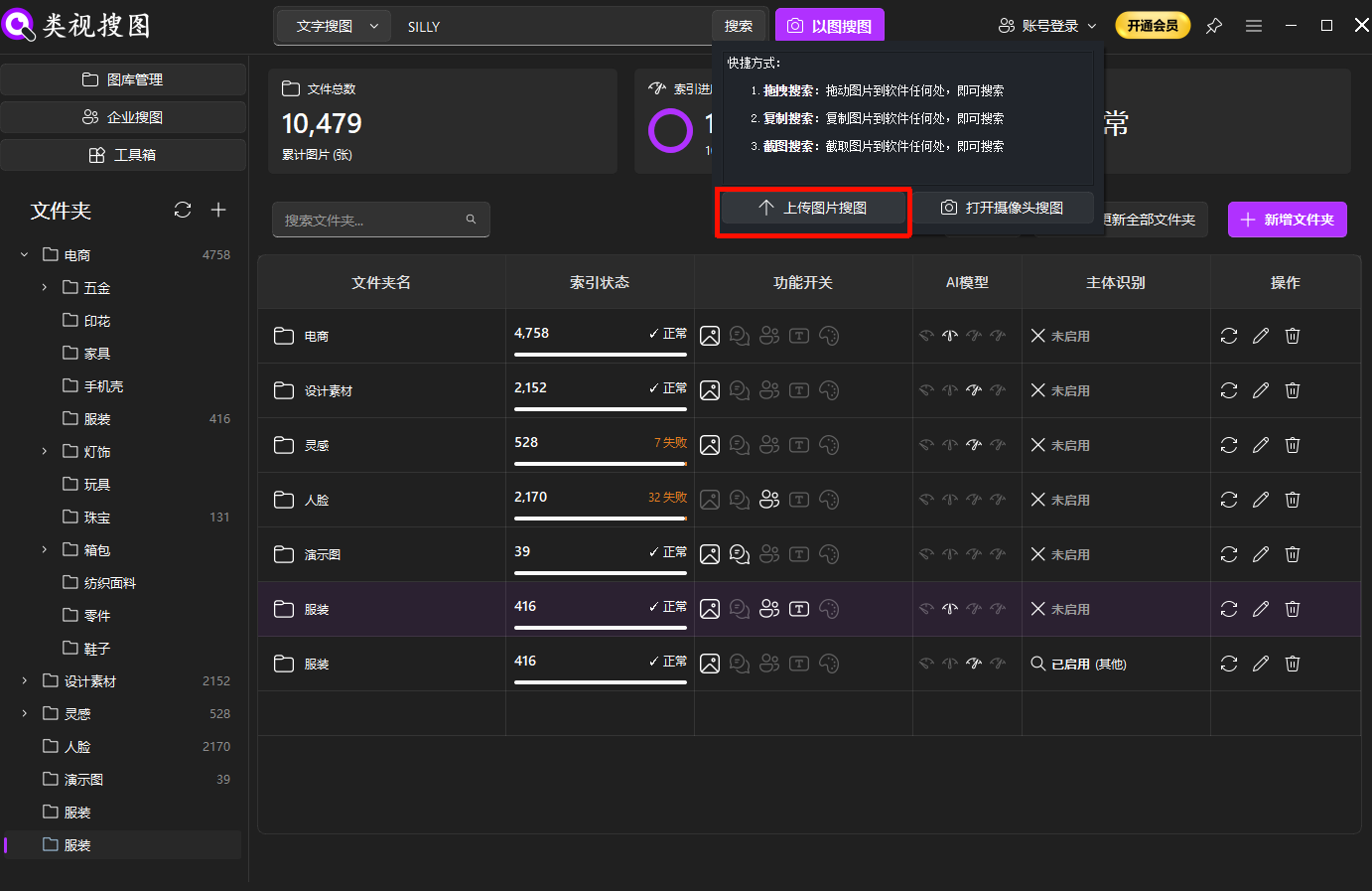 Caption: Use one reference photo to pull the whole burst or scene into a single result set.
Step 3: refine with a strict-to-broad similarity strategy
For culling, you want fast convergence. Use this order:
- Increase similarity first to lock the closest frames (same scene, same angle)
- Filter by folder to narrow to the project/date directory
- Lower similarity later to include small angle or focal length variations
Once you reduce the candidate set from thousands to dozens, the real culling starts.
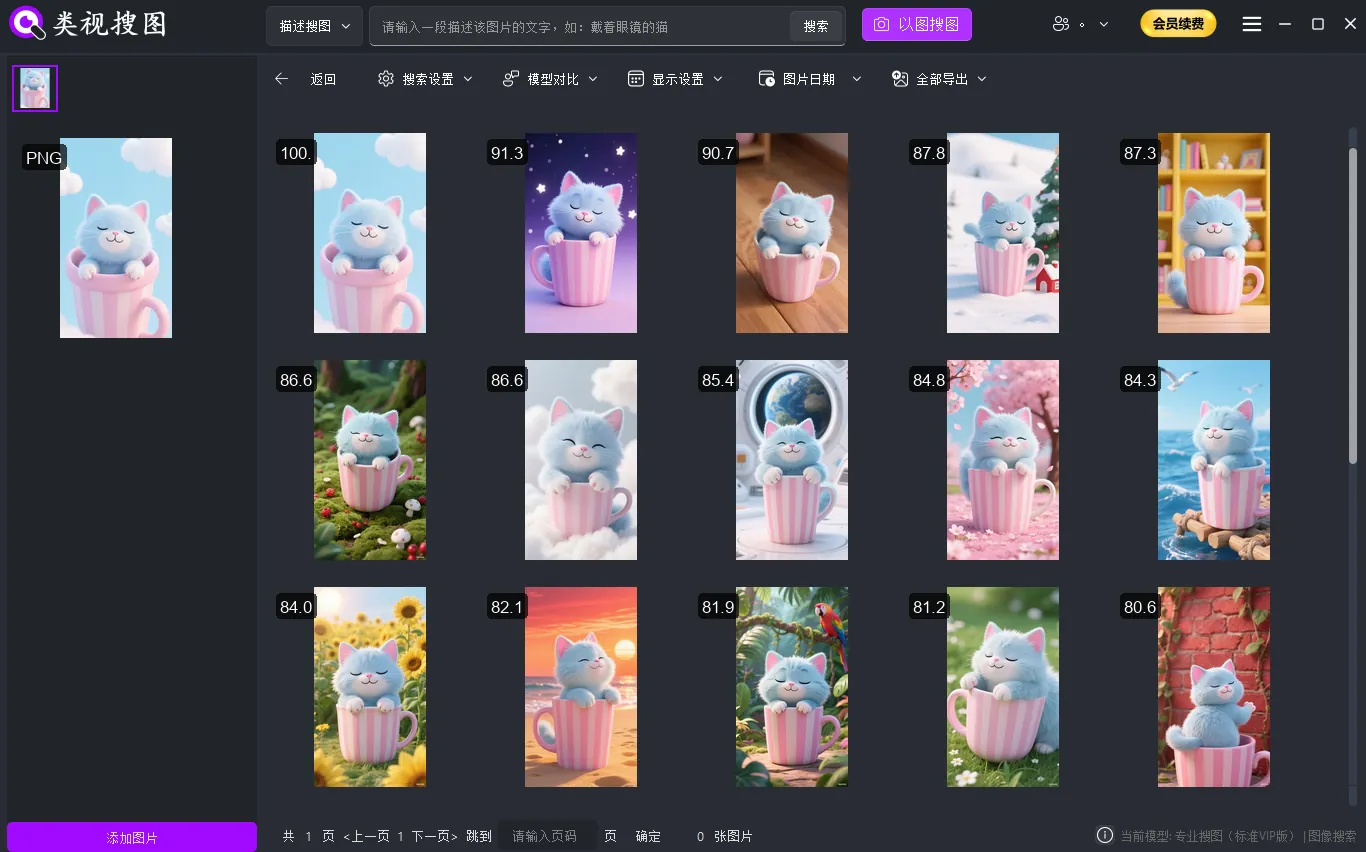 Caption: Refine by similarity and folder scope, then open the source folder to act on the real files.
Core technique: replace “scrolling” with “scene grouping”
After you have a scene cluster on one screen, culling becomes a simple decision loop. Use three stable criteria:
- Sharpness: is focus on the eyes/subject? any shake?
- Moment: expression, interaction, gesture, micro-timing
- Composition: clean edges, better framing, fewer distractions
A practical way to avoid jumping around:
- Remove obvious rejects quickly (missed focus, closed eyes, motion blur)
- Pick 3-5 finalists and compare carefully
- Move keepers into a low-noise “selects/delivery” folder
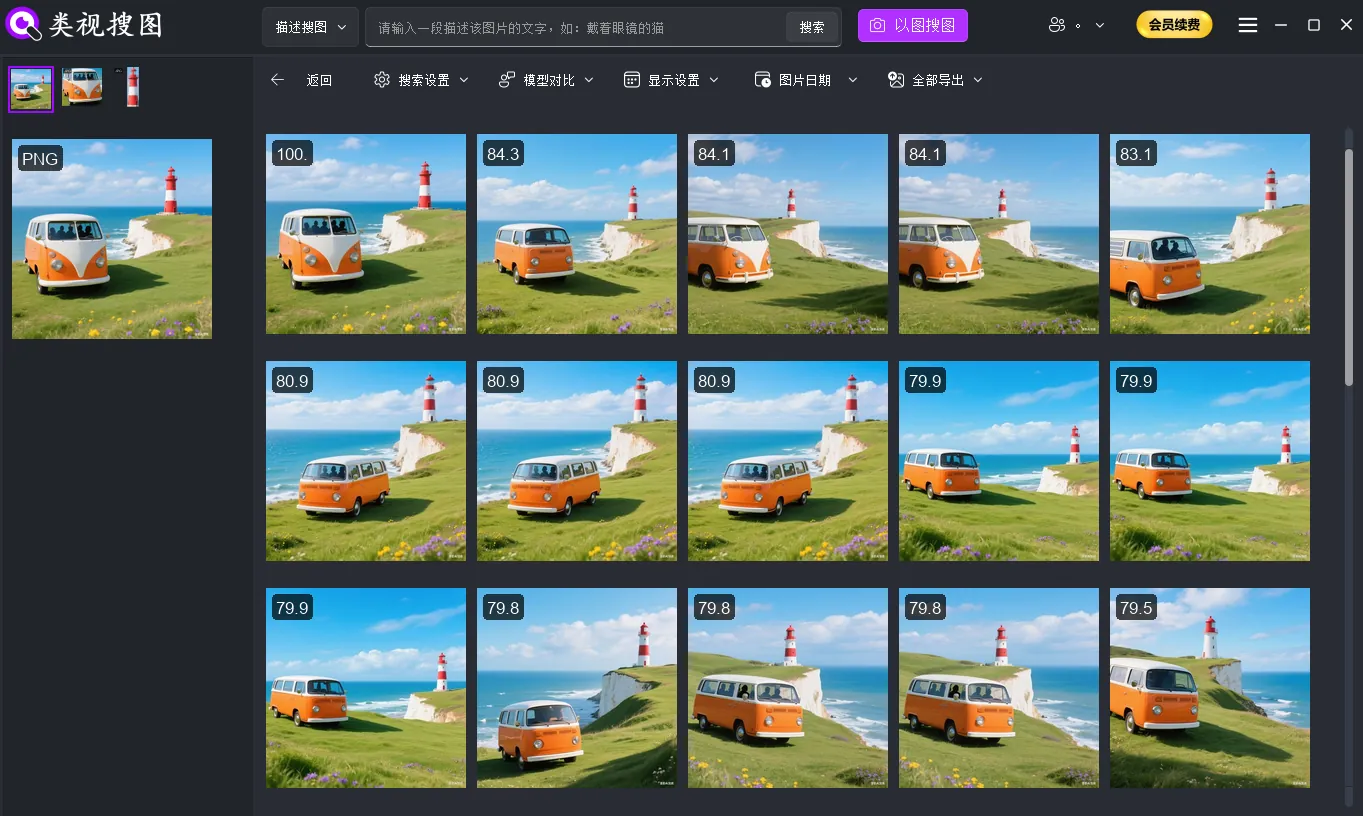 Caption: When same-scene frames are grouped together, comparing composition and micro-moments becomes much faster.
Make it faster every week: 3 reusable settings
- Keep indexing project-based
- Use project/date/client as top-level folders so your library stays structured
- Do one near-duplicate cleanup
- Fewer duplicates means less noise and faster decisions
- Adjust in the right order when results look wrong
- Too many results: increase similarity → filter by folder → narrow time range
- Too few results: lower similarity → use a clearer reference → confirm indexing finished
Troubleshooting checklist: /en/docs/faq
FAQ
Q: Should my reference be RAW or JPEG?
A: Use the clearest frame. Often a JPEG preview works well because contrast and edges are stable for visual matching.
Q: Same scene but different focal length—why does similarity drop?
A: Similar image search matches the visual layout, not the semantic idea. Start strict to lock the closest angle, then broaden gradually.
Q: How do I keep future culling faster?
A: Move keepers into a curated “selects/delivery” folder and keep your indexing scope project-based. A cleaner library stays faster.
Summary and next step
The fastest way to cull same-scene bursts is not “scroll faster.” It is “group first.” Once you standardize a loop with local similar image search—index → reference search → refine → open source folder → archive—your culling time drops and keeps improving as your library becomes cleaner.
Next step:
- Index one core shoot folder
- Test three different reference frames from different scenes
- Pick 1-3 keepers from each group and move them into a curated folder
Get started: /en/download